
What is a region-locked Nothing Phone?
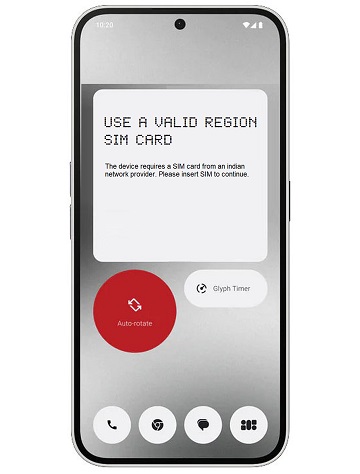
A region-locked Nothing Phone is a mobile device that can only be used in a specific nation or area. If your device is showing a message like in the image below, that means it is region-locked.
How to unlock a region-locked Nothing Phone?
Follow these easy steps, and you will get your Nothing Phone unlocked.
- Dial *#06# on your device to get the IMEI number of your phone.
If your device is a dual SIM card with two IMEIs, please use IMEI 1. - Go to UNLOCKLOCKS.com, place your order, and wait for the unlock confirmation.
- Put in a SIM card that does not belong to your phone region.
- Connect your device to the internet via Wi-Fi
- Activate your device or click Try again if needed.
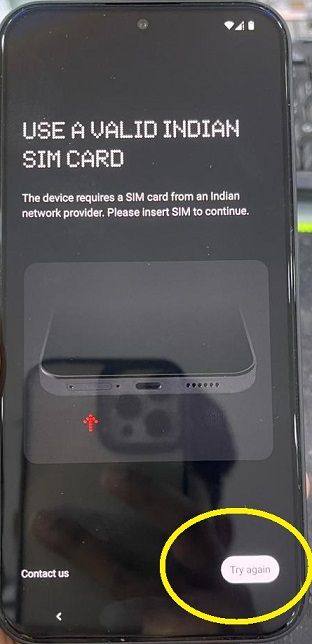
- Your device has been unlocked for all regions and networks. Enjoy!
Supported models:
All Nothing Phone models are supported. However, below is a list of supported devices.
- Nothing Phone (1)
- Nothing Phone (2)
- Nothing Phone (2a)
- Nothing Phone (2a) Plus
- Nothing Phone (3)
- Nothing Phone (3a)
- Nothing Phone (3a) Pro
- Nothing Phone (3a) lite
- Nothing Phone (4a)
- Nothing Phone (4a) Pro
- Nothing Phone (4b)
- Nothing CMF Phone 1
- Nothing CMF Phone 2 Pro
Last Updated on 2 months ago by UnlockLocks