
Why unlock an AT&T Unite Explore mobile hotspot?
Our unlocking process enables you to use a SIM card from any network carrier in your mobile hotspot device. For instance, the NETGEAR AT&T Unite Explore is limited to AT&T; once it is unlocked, we will be able to use it with any local or international carrier, including T-Mobile, Cricket, and Verizon.
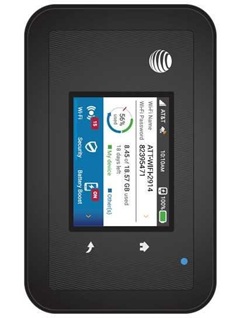
How to Unlock the NETGEAR AT&T Unite Explore?
Unlocking an AT&T Unite Explore mobile hotspot with an unlock code is not as difficult as you would assume. It requires no specialized skills or equipment. Please take these steps:
- Remove the back cover and the battery.
- Take out the AT&T SIM card that came with the device.
- Insert a non-AT&T SIM card.
- Put in the battery and the back cover.
- Switch it on, and hit the unlock screen.
- On the popup, enter the 8-digit unlock code supplied by UNLOCKLOCKS.com.
Enjoy using any carrier SIM card with your unlocked mobile hotspot.
Unlock now by visiting UnlockLocks.
Last Updated on 4 months ago by UnlockLocks