
Why unlock the AT&T Hotspot IFWA-40?
Using a SIM card from any network carrier in your internet device is made possible by our unlocking process. Once unlocked, the AT&T Internet hotspot IFWA-40 can be used with any local or international carrier, such as T-Mobile, Cricket, and Verizon.
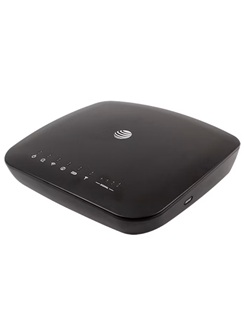
How to Unlock an AT&T Hotspot IFWA-40?
It’s not as hard as you might think to use an unlock code to unlock an AT&T Hotspot IFWA-40. It doesn’t require any specific knowledge or tools. Please do the following:
- Remove the AT&T SIM card that came with the device.
- Insert a non-AT&T SIM card.
- Connect to its Wi-Fi network.
- Visit http://attwirelessinternet or http://192.168.1.1
- Enter your login, then click Login.
The default login is attadmin - Enter the unlock code supplied by UNLOCKLOCKS.com.
Enjoy using any carrier’s SIM card with your unlocked AT&T Wireless Internet hotspot.
Unlock now by visiting UnlockLocks.COM!
Last Updated on 1 year ago by UnlockLocks