
Why should I unlock my T-Mobile Revvl 8 Pro?
With our unlocking service, you can use a SIM card from any network provider in your T-Mobile Revvl 8 Pro. It’s not as hard as you might think to unlock. There is no need to enter an unlock code because everything can be done entirely through the device settings menu.
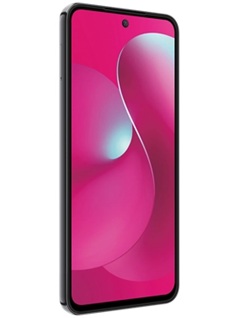
T-Mobile or Metro Revvl 8 Pro (TMRV08P5G)
How to Unlock T-Mobile Revvl 8 Pro?
The T-Mobile Revvl 8 Pro unlocking process is very simple. You should first submit an unlock request for your device at UNLOCKLOCKS.com. After they process your unlock request, you will receive a confirmation message saying that your device can be unlocked. You can then apply the unlock on your device by following the instructions below:
- To access the apps tray, swipe up on an empty area of the home screen.
- Go to Settings > My device > Device unlock.
- Choose Permanent Unlock
- As the device requests and finishes the unlock, wait.
- Enjoy your unlocked T-Mobile Revvl 8 Pro device with all networks.
Now go to UNLOCKLOCKS.com and get unlocked!
Last Updated on 8 months ago by UnlockLocks