
Why Unlock the Inseego MiFi Pro M4?
You can use a SIM card from any carrier in your Inseego MiFi Pro M4 mobile hotspot device thanks to our unlocking service. The unique unlock code is entered through the device admin home page, making the unlocking process simple and straightforward.
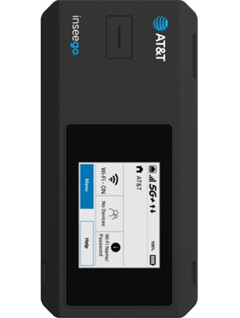
How to Unlock the Inseego MiFi Pro M4?
It’s not as hard as you might think to unlock a Inseego MiFi Pro M4 device with an unlock code. It doesn’t need any special knowledge or tools. Kindly take these actions:
- Get the Inseego MiFi Pro M4 unlock code by going here.
- Power off the device and remove the back cover and battery.
- Remove the original SIM card and install a non-accepted SIM card.
- Insert the battery, replace the back cover, and power on the device.
- Connect a Wi-Fi device to your mobile hotspot.
- Go to http://my.inseego in the connected device’s browser.
If this is your first time logging into the web admin page, the default password will be displayed on the bottom of your device. - Select the Network menu -> Cellular tab, then click the Unlock button
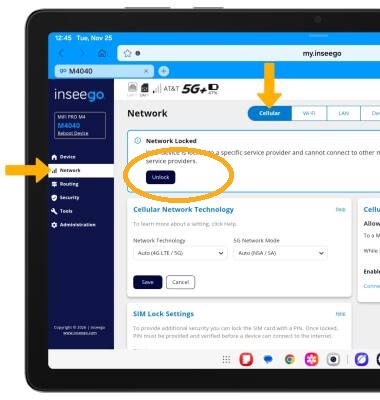
- Enter the unlock code provided by Unlocklocks and click Unlock.
Enjoy using any carrier SIM card with your unlocked Inseego MiFi Pro M4.
Unlock now by visiting UnlockLocks!
Last Updated on 3 days ago by UnlockLocks