
Why Unlock the Inseego FX4200?
You can use a SIM card from any carrier in your Inseego FX4200 internet device thanks to our unlocking service. The unique unlock code is entered through the device admin home page, making the unlocking process simple and straightforward.
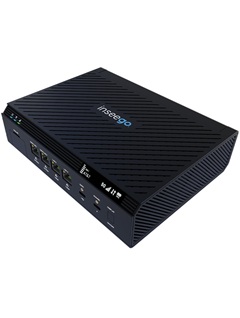
How to Unlock the Inseego FX4200?
It’s not as hard as you might think to unlock a Inseego FX4200 device with an unlock code. It doesn’t need any special knowledge or tools. Kindly take these actions:
- Get the Inseego FX4200 unlock code by going here.
- Power off your Inseego FX4200 device.
- Remove the original SIM card and install a non-accepted SIM card.
- Power it on the device and connect to its WiFi network.
- From your connected device’s web browser, go to http://inseego.local or https://192.168.1.1.
If this is your first time logging into the web admin page, the default password will be displayed on the bottom of your device. - Select the Network menu -> Cellular tab, then click the Unlock button
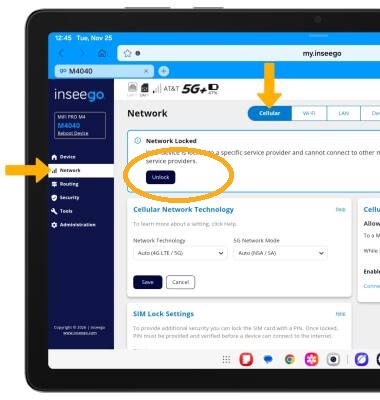
- Enter the unlock code provided by Unlocklocks and click Unlock.
Enjoy using any carrier SIM card with your unlocked Inseego FX4200.
Unlock now by visiting UnlockLocks!
Last Updated on 1 week ago by UnlockLocks