
The Sonim MegaConnect (H700 / H700B / H705) comes SIM-locked out of the box; that means it will accept SIM cards of its original network only. You can permanently unlock it for any compatible network worldwide using an IMEI unlock code from Unlocklocks.com.
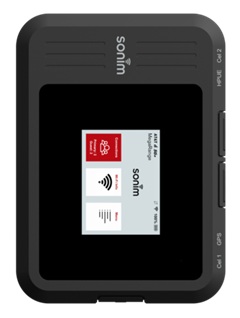
Step 1: Order Your Unlock Code
- Find your 15-digit IMEI: On your MegaConnect screen, go to Menu > About (or check the sticker under the removable battery).
- Submit your order: Visit Unlocklocks, Enter your IMEI, and choose SONIM > MegaConnect > Original country > Original network.
- Receive your code: Enter your email to complete checkout. Once processed, Unlocklocks.com will email your network unlock code.
Step 2: Enter the Code via the Web Dashboard
Because the MegaConnect’s small screen does not prompt for network unlock codes, you must enter it through the browser admin panel:
- Power off the hotspot
- Insert a SIM from another network
- Turn it back on
- Connect your phone or laptop to the hotspot via Wi-Fi or USB-C
- Go to
http://192.168.1.1orhttp://sonim.mobilehotspot. - Enter
adminas the username and find your unique password on the hotspot screen under Menu > Help > Admin Website. - Enter the unlock code from Unlocklocks into the SIM Network Unlock prompt.
Enjoy your unlocked Sonim MegaConnect!
Last Updated on 1 week ago by UnlockLocks