
Can I unlock my APPLE iPhone 15?
By using our unlocking service you can unlock your device. Unlocking your Apple iPhone 15 allows you to use any different carrier’s SIM card. The unlocking process is very easy; it’s completely done remotely without the need to enter an unlock code.
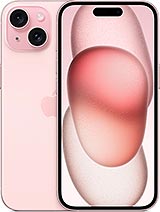
How do I unlock my APPLE iPhone 15?
The first thing you are going to do is make an order at Unlocklocks. Once the unlock order is processed by UnlockLocks, you will receive a confirmation message indicating that your device is eligible for unlocking; then you should follow the steps below.
- Make sure you have an active data connection via 3G/4G/LTE or Wi-Fi.
- Remove the original SIM card from your iPhone 15.
- Insert a SIM Card from a different carrier
- Complete the setup.
Congratulations. Your APPLE iPhone 15 has been unlocked for all networks worldwide.
Notes:
- Your device is unlocked for all carriers.
- Unlocking is permanent; your device remains unlocked even if you reboot, master reset, or flash it.
- The unlocking of the APPLE iPhone 15 doesn’t require an unlock code.
- The unlocking process is safe and legal. It’s 100% genuine.
Last Updated on 6 months ago by UnlockLocks