
Why unlock my TCL LINKZONE 5G UW?
With our unlocking service, you can use a SIM card from any network provider in your hotspot device. The unlocking process is easy peasy; it’s completely done by entering the unique unlock code through the device’s admin page.
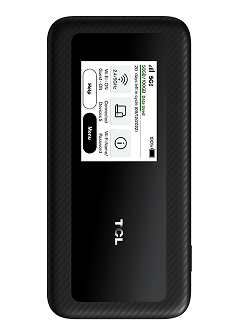
How do I unlock the TCL LinkZONE 5G UW?
Unlocking a TCL LINKZONE 5G UW hotspot by unlock code is easier than you think. It doesn’t require any expertise or equipment. Please follow these steps:
- Get the unlock code for your TCL LINKZONE 5G UW here.
- Remove the original SIM card.
- Insert a non-accepted SIM card.
- Turn on your device.
- From a device that’s connected to the TCL LINKZONE Wi-Fi,
Open http://my.mobilehotspot or http://192.168.1.1 On your web browser. - Click Sign In (upper-right).
- Enter the admin password, then click Sign In.
By default the admin and Wi-Fi passwords are the same. - Enter the unlock code provided by UNLOCKLOCKS.com
That’s all; enjoy your unlocked TCL hotspot device with any carrier SIM card.
Visit UNLOCKLOCKS.com and unlock now!
Last Updated on 3 months ago by UnlockLocks