
Why unlock the NETGEAR Nighthawk M6 (MR6110) mobile hotspot?
You can use a SIM card from any network provider in your NETGEAR Nighthawk M6 (MR6110) device thanks to our unlocking service. The unique unlock code is entered through the device admin home page, making the unlocking process simple and straightforward.
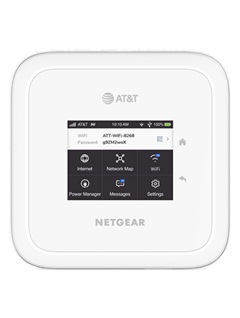
How To Unlock NETGEAR Nighthawk M6 (MR6110)?
It’s not as hard as you might think to unlock a NETGEAR Nighthawk M6 (MR6110) device with an unlock code. It doesn’t need any special knowledge or tools. Kindly take these actions:
- Get the NETGEAR Nighthawk M6 (MR6110) unlock code here
- Remove the original SIM card.
- Put in an unaccepted SIM card.
- Turn on your device and connect to its Wi-Fi network.
- Open the browser then enter http://192.168.1.1 or http://attwifimanager
- Log in with the default credentials (username: admin, password: attadmin).
- Enter the 8-digit unlock code supplied by UNLOCKLOCKS.com.
Enjoy using any carrier SIM card with your unlocked internet device.
Last Updated on 1 week ago by UnlockLocks