
Why Unlock TCL LINKHUB HH132?
You can use a SIM card from any network provider in your TCL LINKHUB HH132 device thanks to our unlocking service. The unique unlock code is entered through the device’s admin page, making the unlocking process simple and straightforward.
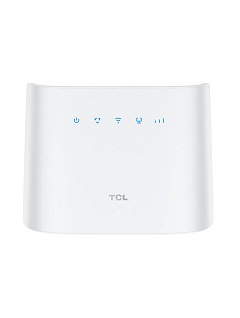
How to unlock TCL LINKHUB HH132?
It’s not as hard as you might think to unlock a TCL LINKHUB HH132 internet device with an unlock code. It doesn’t need any special knowledge or tools. Kindly take these actions:
- Get the TCL LINKHUB HH132 unlock code by going here.
- Remove the original SIM card.
- Put in an unaccepted SIM Card.
- Turn on your device.
- Open the browser then enter http://192.168.1.1 or http://192.168.0.1
- Enter admin password if required (default: admin)
- Enter the 8- or 16-digit unlock code supplied by UNLOCKLOCKS.com.
Enjoy using any carrier SIM card with your unlocked router device.
Unlock now by visiting UnlockLocks.
Last Updated on 7 months ago by UnlockLocks