
Why should you unlock the Telstra 4GX USB?
You can use a SIM card from any network in your Telstra 4GX USB mobile hotspot device by following our unlocking procedure. The Telstra 4GX USB, for example, is exclusive to Telstra; once it is unlocked, we can use it with any domestic network, such as Optus, Vodafone, or any other foreign carrier.
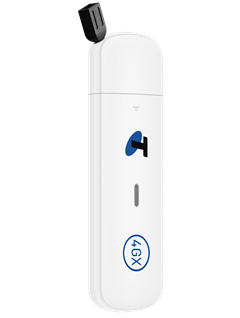
How do I unlock my Telstra 4GX USB?
Using an unlock code to unlock the Telstra 4GX USB device is not as difficult as you might think. No specific knowledge or tools are needed. Please follow these instructions:
- Get the unique unlock code of your Telstra 4GX USB here
- Take out the original SIM card.
- Insert a non-accepted SIM card.
- Connect to your device visit http://192.168.0.1 or http://m.home
- Enter your mobile hotspot password.
The default login password is printed on the back of your hotspot. - Enter the 16-digit unlock code supplied by Unlocklocks.
Enjoy using any network SIM card with your Telstra 4GX USB.
Unlock now by visiting Unlocklocks.
Last Updated on 23 hours ago by UnlockLocks