
Why unlock the Telstra 5G Wi-Fi Pro?
You can use a SIM card from any network in your Telstra 5G Wi-Fi Pro mobile hotspot device by following our unlocking procedure. The Telstra 5G Wi-Fi Pro, for example, is exclusive to Telstra; once it is unlocked, we can use it with any domestic network, such as Optus, Vodafone, or any other foreign carrier.
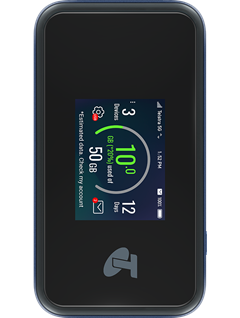
How do I unlock my Telstra 5G Wi-Fi Pro?
Using an unlock code to unlock the Telstra 5G Wi-Fi Pro device is not as hard as you might think. No specific knowledge or tools are needed. Please follow these instructions:
- Get the unique unlock code of your Telstra 5G Wi-Fi Pro here
- Take out the original SIM card.
- Insert a non-accepted SIM card.
- Connect to your device’s Wi-Fi network and visit http://192.168.0.1
- Enter your mobile hotspot password.
The default login password is password. - Enter the 16-digit unlock code supplied by Unlocklocks.
Enjoy using any network SIM card with your Telstra 5G Wi-Fi Pro.
Unlock now by visiting Unlocklocks.
Last Updated on 21 hours ago by UnlockLocks