
Why Unlock ZTE MF65+ modem, router or CPE?
You can use a SIM card from any network provider in your ZTE MF65+ device thanks to our unlocking service. The unique unlock code is entered through the device admin home page, making the unlocking process simple and straightforward.
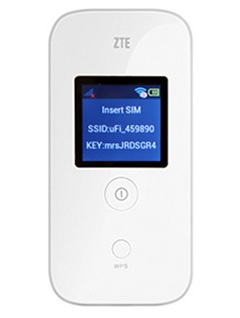
How To Unlock ZTE MF65+?
It’s not as hard as you might think to unlock a ZTE MF65+ modem, router or CPE with an unlock code. It doesn’t need any special knowledge or tools. Kindly take these actions:
- Get the ZTE MF65+ unlock code by going Here
- Remove the original SIM Card.
- Put in an unaccepted SIM Card.
- Turn on your device and connect to its Wi-Fi network.
- Open the browser then enter http://192.168.1.1 or http://192.168.0.1 or http://192.168.8.1
- Enter admin password if required (default: admin)
- Enter the 8 or 16 digits unlock code supplied by UNLOCKLOCKS.com.
Enjoy using any carrier SIM card with your unlocked modem/router/CPE device.
Last Updated on 8 months ago by UnlockLocks